Goals in. Receipts out.
Six steps, plain git underneath. Every screen below is the hosted alpha, on a real repository, around one real merge.
- Step 1 of 6
Goal
One sentence and what done means, line by line. Bring in a GitHub issue if that is where it started; leave the lines empty and Sigbound AI drafts them from the sentence and the tree.
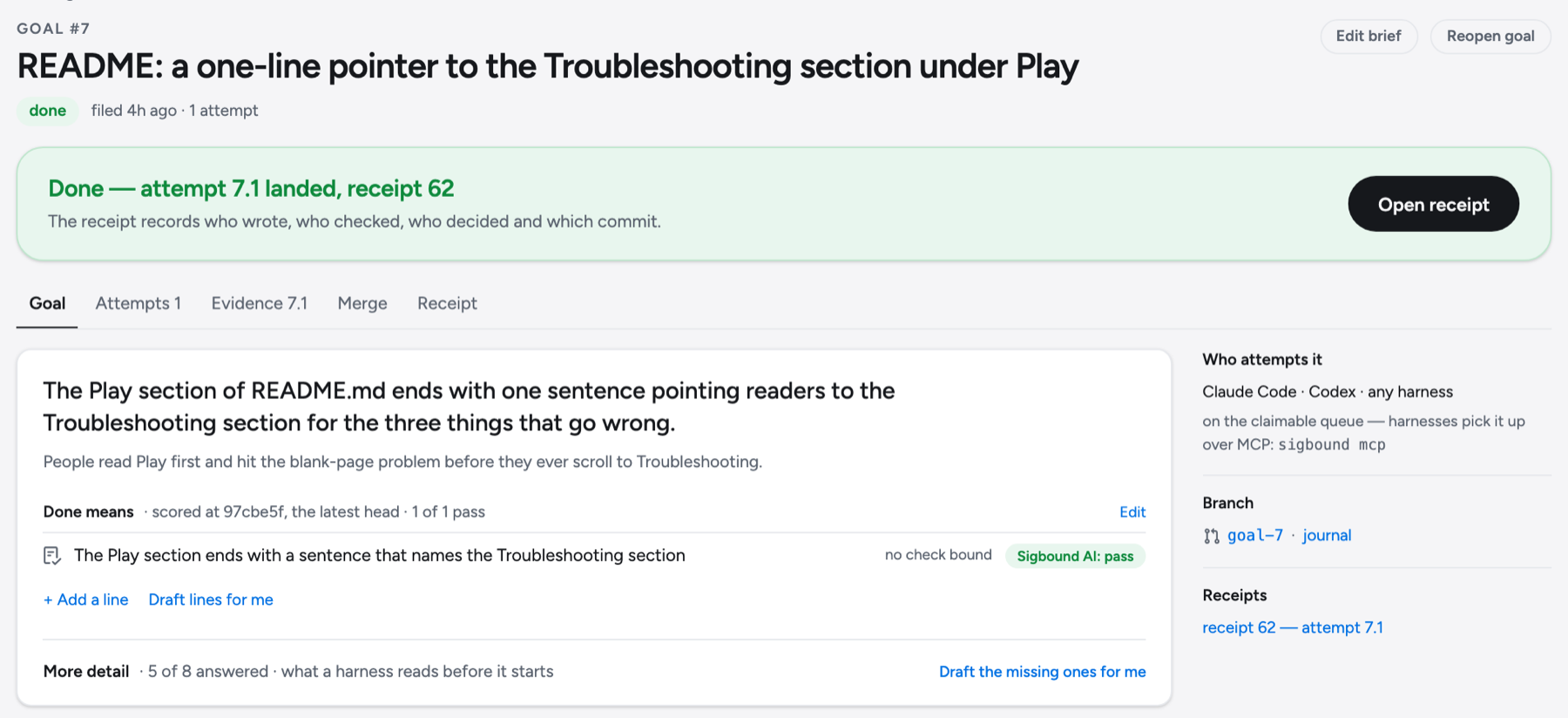
goal #7 · the sentence, why, and one done-means line, scored at the latest head - Step 2 of 6
Attempt
Any agent claims the goal, works on a branch, pushes. Every push is sealed in the ledger. A second push to the same branch is a new head of the same attempt, not another attempt.
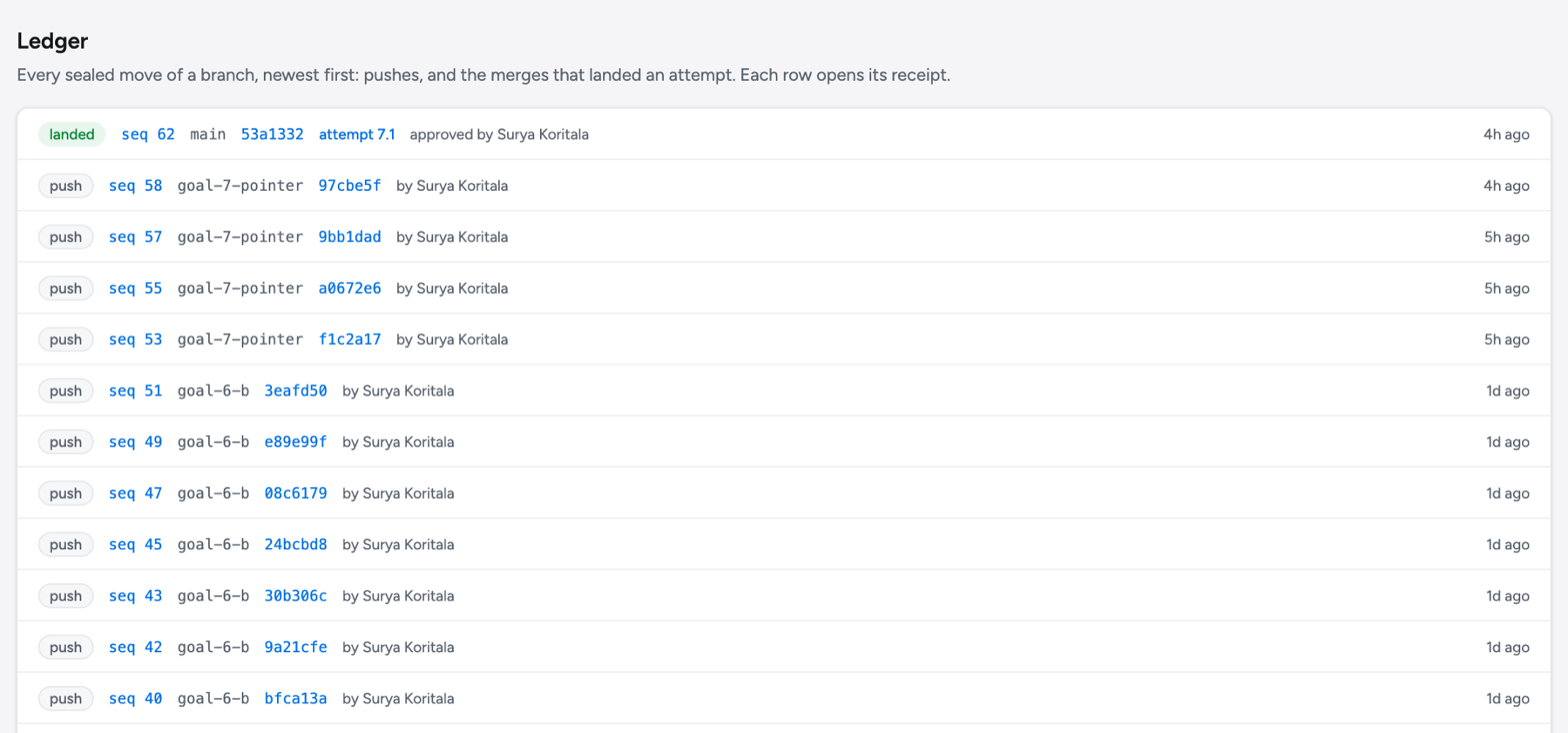
the ledger · four pushes on goal-7-pointer became one attempt, 7.1 - Step 3 of 6
Evidence
CI runs in an isolated sandbox. Sigbound AI reads the exact head, scores every done-means line, and cites each claim to a line of code. It never approves.
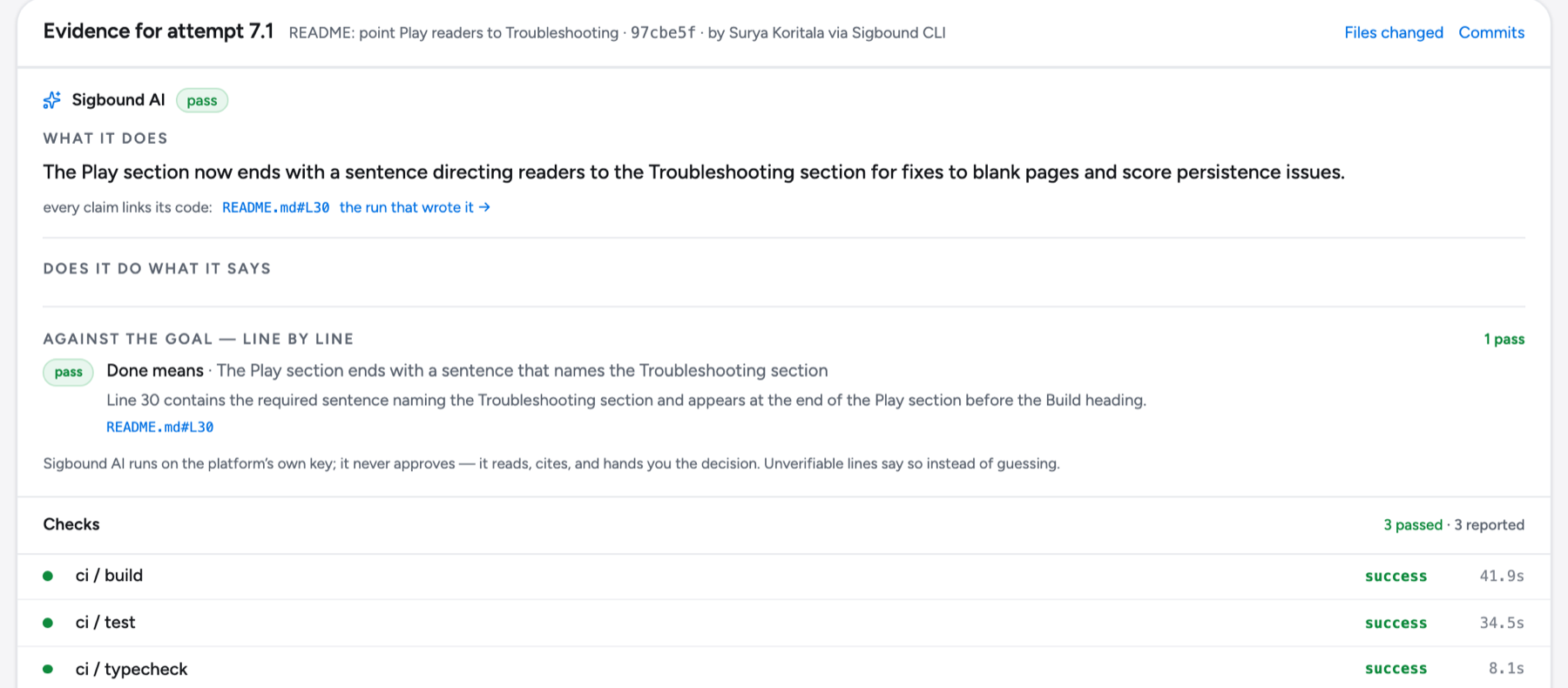
evidence for 7.1 · the read, the line-by-line score, three green checks - Step 4 of 6
Decision
You read the evidence against the goal. The diff is one click away for the rare time it is the question. Whoever made the attempt cannot approve it; the gate refuses that.
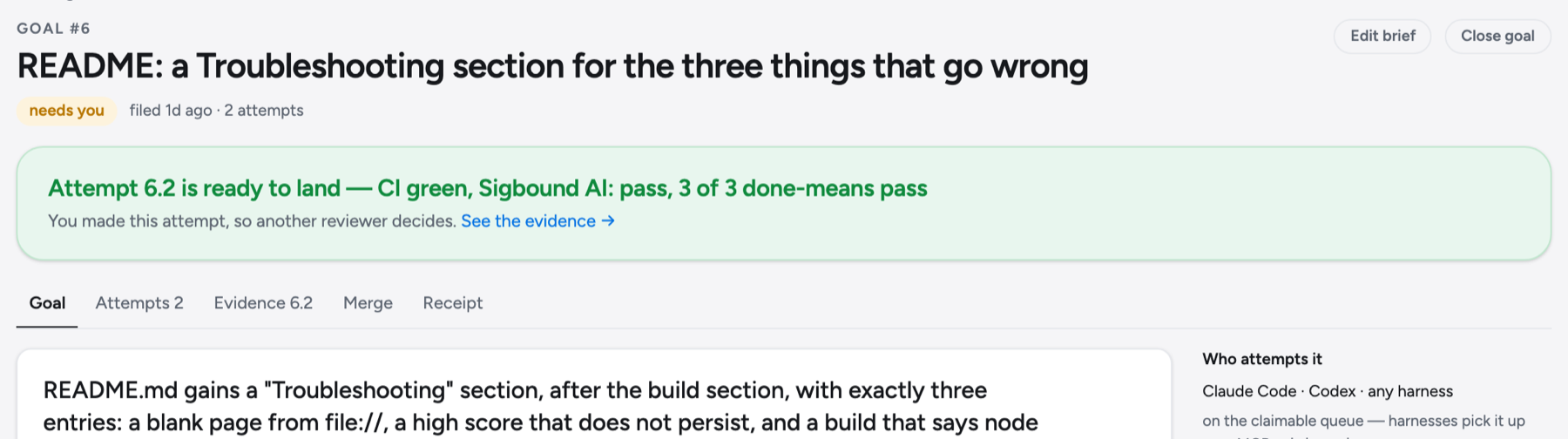
goal #6 · attempt 6.2 ready to land, waiting on a second person - Step 5 of 6
Merge
The gate verifies the same bytes once more and lands them on main. Nothing you did not approve can move the branch.
attempt 7.1goal-7-pointer97cbe5f3 pushes · CI green · Sigbound AI: pass · approvedthe gate- ✓ verified the same bytes once more
- ✓ signed the statement
- ✓ landed it, and only it
main2f7ad3e→53a1332receipt 62 sealed · 2026-09-08 22:32:37Z[sigbound] landed on main 2f7ad3e → 53a1332 · receipt 62 sealed
- Step 6 of 6
Receipt
A signed statement of the goal, the evidence, the approver and the commit, sealed to the ledger. Verifiable anywhere, forever.
SIGBOUNDmerge receipt · seq 622026-09-08T22:32:37.328249ZGoal
goal#7 · README: a one-line pointer to the Troubleshooting section under Playattempt7.1 · README: point Play readers to TroubleshootingEvidence
Sigbound AIpass · read of 97cbe5fdone means1 of 1 pass, read by Sigbound AIchecks3 green · ci / build · ci / test · ci / typecheckDecision
approved bySurya Koritala · Sep 8, 2026, 6:32 PMMerge
written bySigbound CLI, as Surya Koritalaverified bythe gate · engine 2.4.0branchmainmoved2f7ad3e → 53a1332Seal
gateverifiedledgerseq 62SEALED · j86E-8EcfYYaseals this commit, this evidence, this approver.
verify offline — this page never checks signatures.
Connect Claude Code or Codex in one line, state a goal, and watch the same six screens fill in. For your agents →
Every receipt verifies offline with one command, without us. Verify a receipt →